
Check Mark Button Emoji Meaning
What does ✅ mean? Done, correct, approved or confirmed.
⬇️ Download PNGWhat does the Check Mark Button emoji mean?
The check mark button ✅ means done, correct or approved. It's used to confirm a task is complete, mark something right, or acknowledge agreement. A clear yes/done signal, especially in lists and work chats.
✅ meaning in texting
“Done ✅” or marking items complete. Clean confirmation that something's handled.
How people use ✅: examples
- “Done ✅” — task finished
- “Tickets bought ✅ Hotel ✅” — planning checklist
- “✅ Verified info” — confirming something is true
Similar emojis
Popular check mark button emoji combos
Tap to copy:
Find ✅ in emoji topics
:check_mark_button: :white_check_mark:✅\2705\u{2705}%E2%9C%85✅ Check Mark Button emoji image
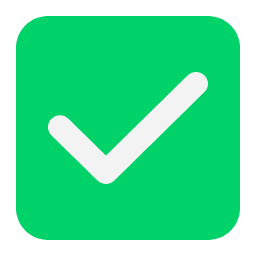
This is ✅ in Microsoft's open-source Fluent Emoji design. Every platform draws its own version, so it looks a little different on iPhone, Android, Windows and in apps — the meaning stays the same.
How to type ✅
- iPhone & Android: open the emoji keyboard and search “check mark button”.
- Windows: press Win + . and type “check mark button”.
- Mac: press Ctrl + Cmd + Space and type “check mark button”.
- Slack, Discord & GitHub: type
:check_mark_button:(shortcodes can differ slightly between apps). - Or tap Copy at the top of this page and paste it anywhere.
Frequently asked questions
What does ✅ mean?
The check mark means done, correct or approved — confirming a task is complete or something is right.
When do people use ✅?
To confirm completion, mark list items done, or signal approval and agreement.
When was the Check Mark Button emoji added?
The Check Mark Button emoji ✅ is one of the original emojis: it has been part of the emoji set since 2010 (Unicode 6.0) and works on practically every phone.
Explore more emoji meanings
💯 🔴 🟢 ✔️ ❌ ❓ ❗ ⚠️ ♻️ ♾️ ➡️ ⬅️ ⬆️ ↗️ 🔁 🔀 ➕ ➖ 🆑
❤️ See all symbols emojis · 📖 Emoji dictionary · 🔍 Search all emojis